
Setting up Nayax on a perfume vending machine is usually straightforward. Most operators can start accepting card payments within a few days after receiving the machine.
However, there are a few important steps that can delay the process if they are missed. Based on our experience supporting customers across Europe, North America, South America, and the Middle East, the most common issues involve account onboarding, device activation, and network connectivity.
This guide explains the complete process, from receiving your machine to accepting your first payment.
Quick Facts About Nayax on Wehoo Perfume Vending Machines
- Nayax reader pre-installed at the factory
- Tested before shipment
- Supports Visa, Mastercard, Apple Pay, and Google Pay
- Supports NFC contactless payments
- Local 4G SIM card available
- Remote sales monitoring
- Compatible with all Wehoo perfume vending machine models
- First payout usually arrives within 5–10 business days
What Is Nayax?
Nayax is a cashless payment system designed for unattended machines such as vending machines, kiosks, and self-service retail equipment.
Unlike traditional POS terminals, Nayax is built specifically for machines that operate without staff.
On Wehoo perfume vending machines, Nayax handles payment processing while the machine management system controls pricing, fragrance settings, and inventory.
Customers can pay using:
- Visa
- Mastercard
- American Express
- Apple Pay
- Google Pay
- NFC contactless payment
Depending on your country and Nayax account configuration, additional payment methods may also be available.
Why We Use Nayax on Our Perfume Vending Machines
We have tested several payment solutions over the years.
For international perfume vending machine operators, Nayax has proven to be the most reliable solution for unattended retail.
The main advantages include:
- Broad international coverage
- Support for major card networks
- Apple Pay and Google Pay compatibility
- Remote transaction monitoring
- Local support teams in many countries
- Stable operation for self-service machines
For operators running a perfume vending machine business, reliability is often more important than saving a small amount on transaction fees.
A machine that can accept payments consistently will always outperform one that frequently loses connectivity or requires manual intervention.
Which Perfume Vending Machines Support Nayax?
All current Wehoo perfume vending machines support Nayax.
P6 Wall-Mounted Perfume Vending Machine
- Holds 5 fragrances
- Wall-mounted design
- Most popular entry-level model
- Suitable for salons, gyms, hotels, and boutiques
P8 Freestanding Perfume Vending Machine
- Holds 5 fragrances
- Includes a 42-inch advertising screen
- Designed for higher visibility
- Suitable for shopping malls, retail stores, and commercial locations
P10 High-Capacity Perfume Vending Machine
- Holds 10 fragrances
- Larger fragrance selection
- Suitable for fragrance brands and high-traffic venues
- Ideal for operators managing multiple perfume options
Step 1: Check the Machine After Delivery
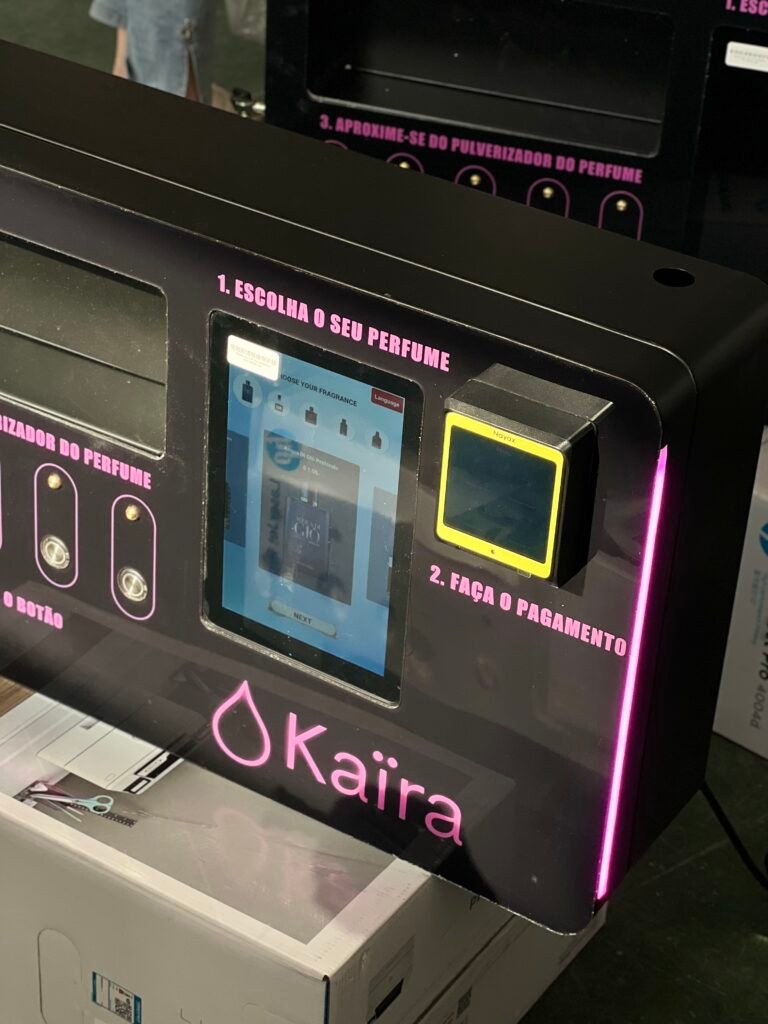
Every Nayax-equipped perfume vending machine is tested before shipment.
Before we dispatch a machine, we verify:
- Reader installation
- Power supply
- Network connectivity
- Communication between Nayax and the machine
- Successful test transaction
When your machine arrives, perform a quick inspection before putting it into service.
Check the Nayax Reader
Confirm that:
- The reader is not physically damaged
- The display powers on correctly
- All cables remain securely connected
- The SIM card area is intact
Check the Machine
Inspect for:
- Shipping damage
- Loose components
- Cracked glass
- Damaged touchscreen
If you notice any visible damage, take photos immediately before powering on the machine.
Step 2: Activate Your Nayax Account
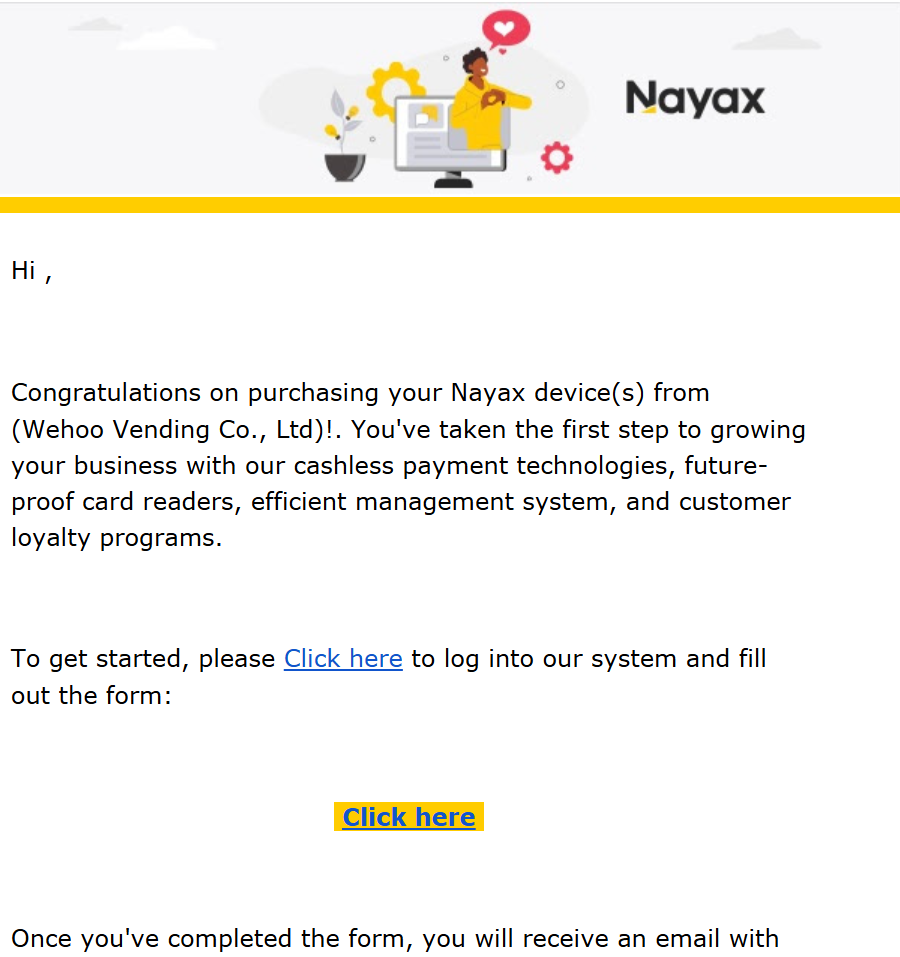
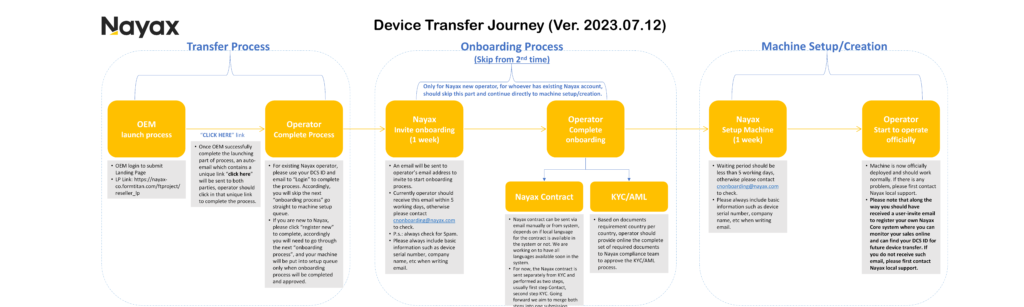
After your perfume vending machine ships, we initiate the Nayax device transfer process.
If you are a new Nayax user, Nayax will send an onboarding invitation to the email address provided during the order process.
Most operators receive this invitation within 5 business days after shipment.
If you have not received the email after 5 business days, contact Nayax directly:cnonboarding@nayax.com
What Happens During Onboarding?
The onboarding process usually consists of two stages:
1. Sign the Nayax Agreement
Nayax will send a service agreement for review and signature.
Depending on your country, this may be provided in English or your local language.
Complete this step first before moving to account verification.
2. Complete KYC Verification
Like banks and payment processors, Nayax must verify every business before processing transactions.
You may be asked to provide:
- Business registration documents
- Government-issued identification
- Bank account information
- Business address information
The exact requirements vary by country.
In our experience, the most common delay occurs when documents are incomplete or inconsistent.
To avoid delays, submit all requested documents at the same time whenever possible.
Use Your Own Business Email
We strongly recommend creating the Nayax account under your own company email address.
Avoid using:
- Supplier email addresses
- Shared company inboxes
- Personal email addresses used by multiple people
Using your own business account makes future device transfers, ownership changes, and account management much easier.
Already Have a Nayax Account?
If you already operate vending machines with Nayax, the process is much simpler.
Instead of creating a new account, we can transfer the Nayax device directly to your existing account.
Simply provide:
- Your Nayax account information
- Device serial number
- Business contact details
We will coordinate the transfer process with Nayax.
Device Pairing and Activation
Once your Nayax account has been approved, the payment device must be linked to your account.
In most countries, this happens automatically during onboarding.
Occasionally, Nayax may request additional information such as:
- Device serial number
- Hardware information
- Configuration details
If this happens, contact us and we can provide the required information.
Avoid guessing device parameters, as incorrect settings can create communication issues later.
How to Change Prices and Spray Volume
One of the most common questions we receive is:
“Can I change product prices inside the Nayax backend?”
The answer is no.
Nayax handles payment processing and transaction reporting.
Product settings are controlled by the perfume vending machine management system.
Using the machine backend, you can:
- Add fragrances
- Change selling prices
- Adjust spray volume
- Monitor inventory
- Track sales performance
Think of it this way:
Nayax = Payment System
Perfume Vending Machine Backend = Product Management System
The two systems work together, but they control different functions.
Step 3: Run Your First Test Payment
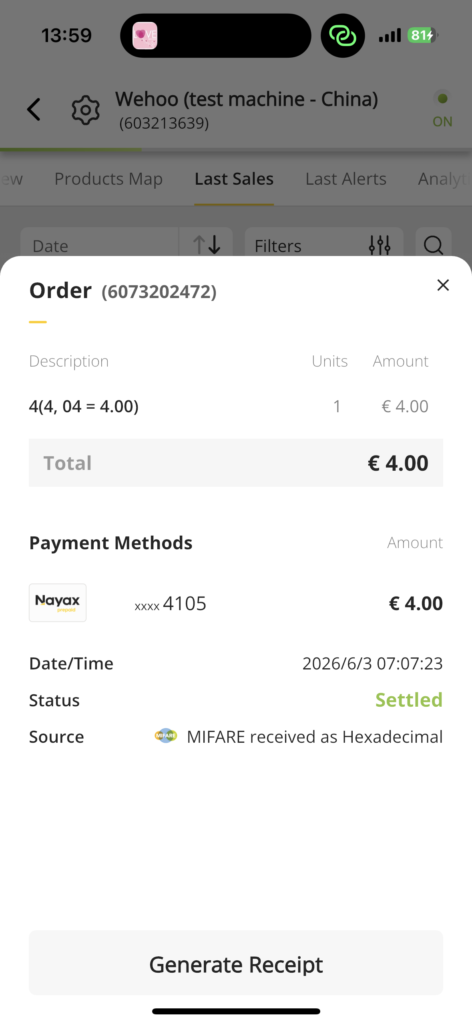
Before opening the machine to customers, perform at least one test transaction.
This confirms:
- The Nayax reader is working
- The machine dispenses correctly
- Payments are reaching the correct account
- Communication between Nayax and the machine is functioning normally
Use your own payment card or mobile wallet.
We recommend selecting the lowest product price available.
Important: This Is a Real Transaction
Unlike some software systems, live Nayax devices do not operate in a test environment.
Any payment you make will be processed as a real transaction.
The amount will be charged normally.
Can I Refund My Test Purchase?
Yes.
Refunds can be issued through the Nayax backend.
Most operators perform one test transaction and then refund the payment afterward.
When Will I Receive My First Payout?
The first payout often takes longer than regular payouts.
In our experience, most operators receive their first settlement within 5 to 10 business days.
This delay is normal.
Nayax uses this period to complete account verification and banking checks.
After the first payout, future settlements generally follow the standard schedule for your region.
Common Nayax Problems and How to Fix Them
Most Nayax installations run smoothly once setup is complete.
However, there are a few issues that occasionally occur. These are based on real situations we have seen while supporting perfume vending machine operators in different countries.
The Machine Shows “VOO”
VOO is one of the most common Nayax status messages.
It usually means the Nayax reader has lost communication with the perfume vending machine controller.
While it may look serious, it is often easy to resolve.
First Step: Send a Poll Command
Log into your Nayax backend and locate the machine.
Send a poll command to the device.
This forces the reader to reconnect with the machine.
Wait 2–3 minutes and check whether the status changes.
If VOO Returns
If the VOO status appears again after polling, the problem is usually on the machine side rather than inside Nayax.
Contact our technical team and we can review the machine remotely.
Repeatedly sending poll commands will not solve the underlying issue and may make troubleshooting more difficult.
Payment Successful but No Perfume Dispensed
This situation means:
- Nayax processed the payment successfully
- The customer was charged
- The machine did not receive or execute the dispense command
The first priority is customer satisfaction.
Step 1: Issue a Refund
Process a refund through the Nayax backend as soon as possible.
Step 2: Contact Technical Support
Our team can review machine logs remotely to determine whether the issue was caused by:
- Dispensing hardware
- Controller communication
- Payment signal transmission
Most cases can be diagnosed quickly once we have access to the machine logs.
The Machine Appears Offline
An offline status usually indicates a network issue.
Check the following:
- Power supply
- 4G signal strength
- WiFi connection (if enabled)
- Router status
In most cases, offline issues are caused by unstable internet connectivity rather than payment hardware failure.
WiFi or 4G?
Both options work.
However, for commercial locations such as:
- Shopping malls
- Hotels
- Airports
- Entertainment venues
We generally recommend the WiFi + 4G version.
Having two available connection methods reduces downtime and improves payment reliability.
Can I Transfer a Nayax Device to Another Perfume Vending Machine?
Yes.
Many operators eventually need to transfer a Nayax device.
Common situations include:
- Replacing a machine under warranty
- Relocating equipment
- Upgrading from a P6 to a P8 or P10 model
The general process is:
- Unassign the device in the Nayax backend
- Remove the Nayax reader from the current machine
- Install it on the new machine
- Pair the device again within the Nayax system
Before starting any transfer, we recommend confirming the procedure with your local Nayax support team.
Requirements can vary by country and account type.
If you purchased your machine from Wehoo Vending, our team can help coordinate the process.
Will I Lose My Transaction History?
Normally, transaction records are stored in your Nayax account rather than on the physical device.
However, account configurations vary.
We recommend confirming this directly with Nayax before performing a transfer.
Day-to-Day Nayax Management
Once your perfume vending machine is operating, the Nayax backend becomes an important management tool.
Most operators regularly use two functions:
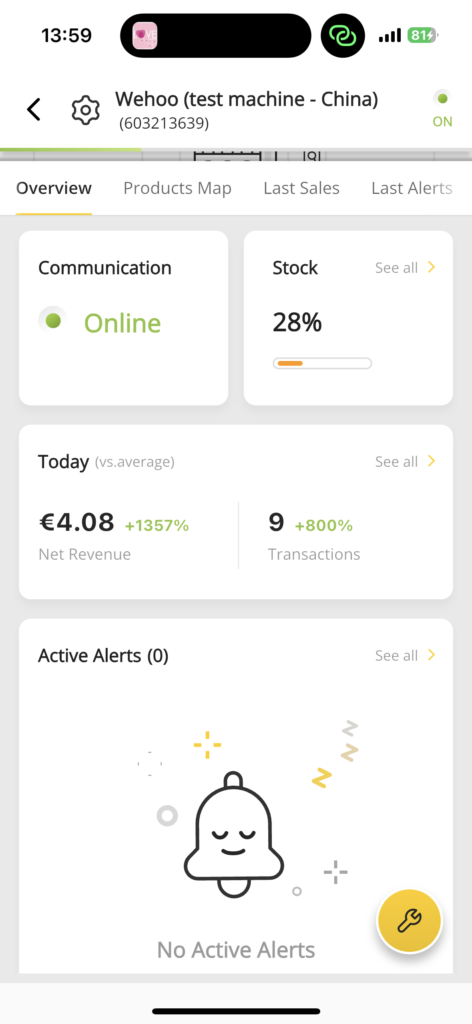
Sales Reports
The reporting dashboard allows you to:
- View transaction history
- Monitor sales by machine
- Compare multiple locations
- Export reports
For operators with several machines, this makes it easy to identify which locations perform best.
Low Inventory Alerts
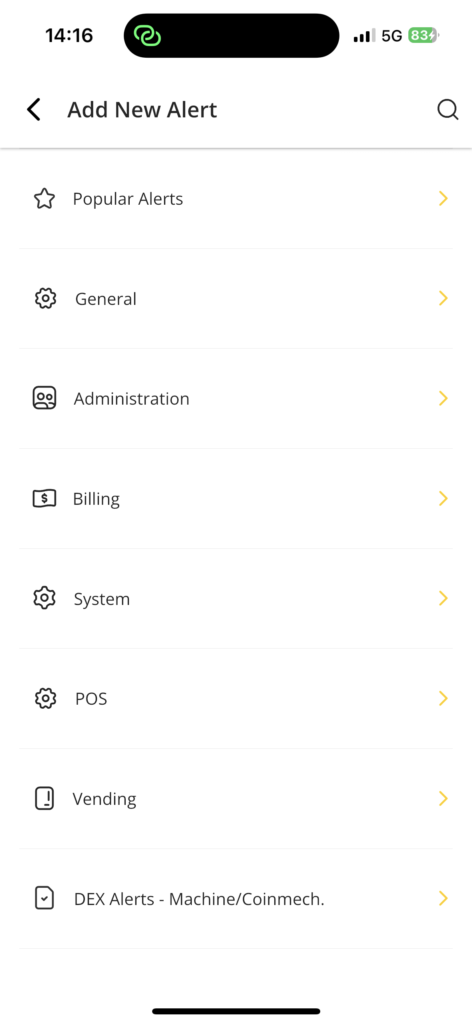
Inventory alerts help prevent lost sales.
When configured correctly, the system can notify you when fragrances need refilling.
Many operators ignore this feature at first.
Later, they realize how much revenue can be lost when a machine sits empty in a high-traffic location.
We strongly recommend enabling inventory alerts during initial setup.
Frequently Asked Questions
Is Nayax Available in My Country?
Nayax operates in many countries across Europe, North America, South America, the Middle East, and parts of Asia.
If you are unsure about your location, contact us before ordering.
Can the Machine Accept Apple Pay and Google Pay?
Yes.
Most Nayax-equipped perfume vending machines support:
- Apple Pay
- Google Pay
- NFC contactless payments
- Credit cards
- Debit cards
Does Nayax Require WiFi?
No.
Our perfume vending machines can operate using a 4G SIM card.
WiFi is optional.
How Much Does Nayax Charge?
Nayax fees vary by country, account type, and payment volume.
For the most accurate information, contact Nayax directly.
Can I Monitor Sales Remotely?
Yes.
The Nayax backend allows remote monitoring of transactions, machine activity, and sales reports.
What Does “Offline” Mean?
Offline means the Nayax device has temporarily lost network connectivity.
Check the power supply, internet connection, and signal strength first.
If the problem continues, contact us for assistance.
Need Help?
If you purchased your perfume vending machine from Wehoo Vending, we are happy to help with:
- Nayax onboarding
- Device activation
- Payment testing
- Troubleshooting
- Device transfers
Email: libby@wehoovending.com
WhatsApp: +86 15161172033
Related Reading
- Perfume Vending Machine Payment Systems Explained
- Perfume Vending Machine ROI: What Operators Actually Earn
- Perfume Vending Machine Buying Guide
- View All Wehoo Perfume Vending Machine Models